Showing posts with label FONE TWEAKING. Show all posts

Friday, September 16, 2016

How To Change Imei On Android Devices Running On Android 6.0 Marshmallow

Today am going to be sharing a detailed guide on how to change imei on mediatek (MTK) devices running on Android version 6.0 marshmallow or above. I once posted a tutorial on how to change imei on mtk Android devices running on Android 4.4 Kitkat and also on lollipop but that might not work for marshmallow devices. 


Detailed guide on how to change imei on mediatek (MTK) devices running on Android version 6.0 marshmallow or above. I once posted a tutorial on how to change imei on mtk Android devices running on Android 4.4 Kitkat and also on lollipop but that might not work for marshmallow devices.

So if you have tried the method and it didn't  work for you then this should. You can also try it on older Android versions. The method is very simple and all you have to do is to follow the guide below and you should be done in no time.

Tuesday, August 9, 2016

Due to popular demand..

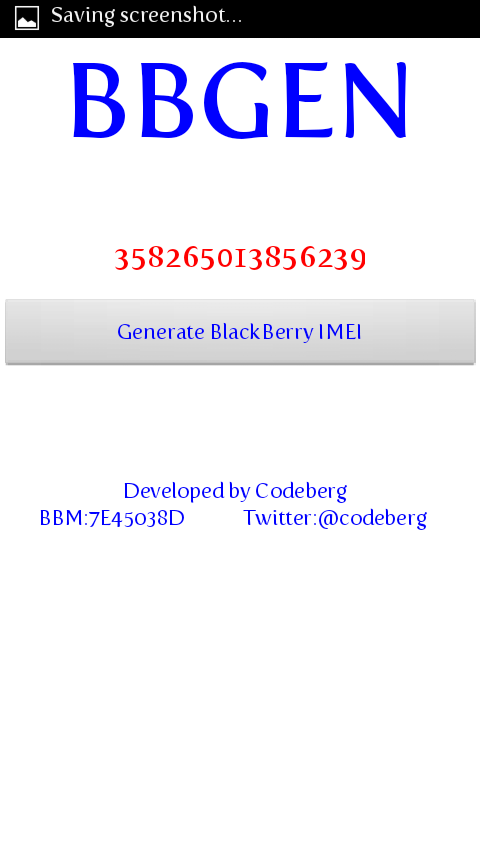
Here is the download link for the one step bb  imei  generator without the use of a PC. 

JUST INSTALL AND USE.. 

PICS AND FILE BELOW..


DOWNLOAD LINK: BB IMEI GENERATOR


And for those that still wants to edit their Android phones for glo  bis  subscription... Here is the link with detailed pics tutorial... 

Tutorial : GLO ANDROID BIS SUBSCRIPTION


Monday, June 13, 2016

The ntel network is built on the 900/1800 Mhz, which is recognized as the most widely used frequencies for the deployment of 4G/LTE technology. All the browsing addicted people in Nigeria are anxiously waiting for ntel Advanced 4G/LTE service to be fully functioning in their areas, ntel services are only available in Abuja and some parts of Lagos (Mainland) at the moment, let have hope that very soon, ntel will expand their coverage in Lagos and Abuja, and subsequently to other states, across multiple geo-political zones.


Friday, November 20, 2015

GET YOUR GIONEE  M5 ROOTED COURTESY HOVATEK

Recovery mode method has been the surest and safest method for rooting andriod 5.1 lollipop.
Those using Gionee M5 has not been able to get root access to their device since because no dedicated app could root it.All thanks to team hovatek this team has been a saviour indeed.


  • Download SuperSU.zip  move it to the rppt of your sdcard 
  • You can get Twrp recovery mode here recovery ported by team hovatek
  • To flash the recovery mode using spflash tools, follow this link here for detailed explanation.
  • After flashing the recovery hold the power button and volume up your phone should be in recovery mode.
  • Now click install zip then navigate to the root of your SD card and choose SuperSU.zip
Wait till process is done reboot your phone you should see SuperSU app installed.
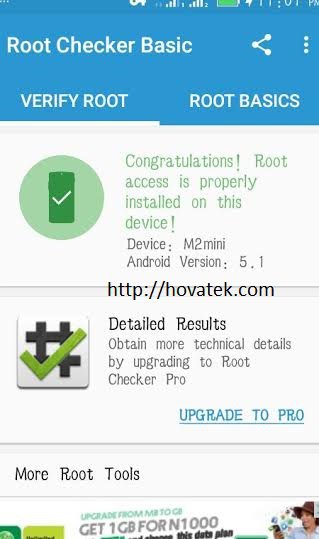
Note:To check root accessibility, download root checker

Thursday, October 29, 2015


TWRP Recovery is now made available on Gionee P2M and M2 Mini, so having installed TWRP Recovery on either your Gionee P2M or Gionee M2 Mini device, makes it easy for you to root or port into any custom rom via recovery mode.


Saturday, July 25, 2015

KingRoot – Best Master One Click Root

 Tool Thump up to the developer of this application it has prove to be good by rooting up to 1000 Android Device.

King root is an amazing tool for  people who just want to get root access but don’t want to flash any third party Recovery into their lovely device.


Tuesday, July 14, 2015

The simple and short  tutorial is mostly for those who are tired of navigating through recovery with the volume keys attached to the stress of using a cwm  recovery backup for your phone or maybe you just need a recovery with better interface and more advance function then you might want to try the twrp recovery.

The only recovery option that can probably compete a little with the twrp  recovery will probably be the Carliv Touch Recovery popularly known as CTR. 


Monday, July 13, 2015

One of the most essential apect of using an Android phone is having a stock rom backup of the phone incase of any eventualities. And ofcourse we all know the number one of such eventualities is having a phone brick whereby your phone becomes totally unusable because you are stucked on the boot logo of the particular phone brand and you are unable to get the homescreen of the phone not to talk of having access to the phone functioanlities. YOU ARE BASICALLY STUCKED ON A BOOT LOOP....{now that really sucks if i must say}..

I know most of you always end up returning the Customer care service center or even going on the internet searching for the backup stock rom you might not even see or going through the routine of flashing it using SP flash tools blah blah  blah...


Monday, June 8, 2015

It's quite funny when I get request and been asked all the time on how to root phones plus the advantage and the disadvantages of rooting Android phones and what I will probably say will be in summary.....It is basically simple, i have no qualms about someone having phone rooted knowing that there is only one con which is the aspect of breaching the manufacturer warranty attached ( come to think of it, i dont think most of us do take the manufacturers up on the warranty clause though) so why you just go ahead and set your android free to make it yours to control and dictates it direction unlike being stucked or restricted to the manufacturers access been put in place by the OEM.

Personal opinion -  rooting a phone has so many advantages than having an unrooted phones in your hands....

Only CON is that once the phone is rooted.  It kinda void your phone warranty { come to think of it,  it's not as if we all use warranty stuff anyway especially with all this quite inexpensive MTK devices so why not just take total charge  of your phone by rooting it and and dictate what you want and like on the phone...

Without so much talk.. Let me introduce you to some of the most popular rooting means we have and the apps involved...


Naijawarlord© 2016. Powered by Blogger.

Wikipedia

Search results

Followers

Page Views

Translate

Pages

Popular Posts

Blog Archive