Showing posts with label Mobile Tricks. Show all posts

Tuesday, March 7, 2017

At one point or another we have all had the experience of having our ever reliable SD card with lots of important data fail us for no reason whatsoever. Yet no matter what we do, we are unable to have the issue fixed for our corrupted or damaged SD card (memory card). And ofcourse the last resort is to have it fixed or formatted but yet still unable to even do that..


Below is a quick step by step easy fix for damaged or corrupted SD card


If you have a corrupt or damaged memory which you tried to format and it keeps replying you with WINDOWS CAN’T FORMAT DISK and you wish to repair it.


 Kindly follow the following steps with pics guide:

Monday, November 14, 2016


Most of us have our Whatsapp auto-download feature on when pictures and video are sent in a group it auto download when we open our Whatsapp. Sometimes pictures we don't know of will download and appear in our Gallery.

 The image or video may not be pleasing to the eyes of our friends or kids around; we will be guiding you on how to hide the image and videos from gallery. Simply read the below method to proceed.


Hide Whatsapp Images and Videos From Gallery


Monday, October 3, 2016


Am sure most of us using android devices with "built-in battery" had encountered a situation where the phone hanged and refuses to accept any input or tap commands and all efforts to restart it proved abortive. While this is a big problem for non removable battery android phones, it isn't so for those using a removable battery powered android devices as they can just remove the battery and re-insert it back again to bring the phone to life.


Friday, July 29, 2016

I have no service on an Android phone. What's wrong?


No service may be due to a number of reasons. 

1. Network issues - Got to Settings<Mobile Network/Wireless and Mobile Network/Similar Option (Depends on ROM you have)<Cellular Network/Network Provider<Choose Automatically. 

If this does not work and your ROM offers "Choose Manually/Select Network" and see if anything shows up. Choose the appropriate provider and you should be good to go. 

2. SIM issues - Take out the SIM card and insert it into another phone (borrow from friend if needed) and see if signal shows up. This is especially applicable for the new 4G USIM cards (I use this  method myself for fixing my Airtel USIM card). If signal shows up, insert SIM card into your phone and restart it. 

While you're at it (and it's not working) see if the SIM itself is damaged. Is the golden chip intact or peeling off. Fix the chip properly if the latter is the case. 

You may also want to try shifting the SIM card from one slot to another, though I assume you've tried this already. 


Oh no! Imagine that moment when you need to brows out an important information on your and your battery starts beeping and notifying you of low battery. Chai! That experience when you want to have a nice chat with someone so important or your boo and your phone just tripped off as a result of low battery. Honestly, a large number of people have missed some important occasions and seminars because of low phone battery.

A friend of mine missed an important job interview just because his phone was switched of and he didn't get the SMS and email sent to him by his potential employers.
In fact battery problem is very very worrysom and any phone without good battery is as useless as a brick. This is why I will give you some important tips to help extend your phone battery life no matter how bad it is.

WHAT REALLY CAUSES YOUR PHONE BATTERY TO DRAIN FASTER?


Wednesday, July 27, 2016

Am sure most of us using android devices with "built-in battery" had encountered a situation where the phone hanged and refuses to accept any input or tap commands and all efforts to restart it proved abortive. While this is a big problem for non removable battery android phones, it isn't so for those using a removable battery powered android devices as they can just remove the battery and re-insert it back again to bring the phone to life.


So in this brief guide, i will reveal to you how to reboot your phone if it becomes unresponsive without removing the battery.


How to Use SD Card as Default Internal Android Storage on Android 6.0


You are running out of space… insufficient memory is a message you’ll always see on Android smartphones. Some Android 6.0 users are already complaining of insufficient memory despite the facts that you have enough space in your memory card.

Let me show you how to make default your SD card as your storage memory on Android 6.0 devices. Meaning, every application you’ll download, file etc will be stored directly on your SDcard and not phone memory.

Requirements
1. Make sure you use original SD card or else it will not last long on the device
2. If you are using old Micro SD card, back up all your files and document


Sunday, July 24, 2016

We are used to branded modems and routers, some of won't know what i mean by branded modems and routers. Branded modems and routers are modems and routers that come with a network provider which is in your location. The examples of branded modems are MTN, Verizon, Airtel modems and Swift, Spectranet routers. Unlocking your modem is more of a transformation process - You are taking your modem or router which was in chains and setting free to roam any and all SIMs without any restrictions.
[IMG]


Sunday, June 19, 2016

Today, we are going to look at how to solve or stop the must common Android problem, that is "Unfortunately Application Has Stopped"

So in case any of your Android application stopped or show the error message. It could be Operamini, Ucweb, Whatsapp, Facebook application, YouTube etc.

This is how to solve the problem or error;

* Clear cache and data and reboot the Android.

* Update affected application that is showing error message (playstore or other source)

* Uninstall the affected application and Reinstall it back.

* Factory data reset.

1. Clear cache and data and reboot the Android.

We believe 90 percent of Android phone users can do this. This is one of the methods to solve error message (Unfortunately Application Has Stopped)

You can possibly clear cache with different strategies or methods. The following are the ways to clear cache to solve "unfortunately application has stopped" problem on Android Phone:

» Clear the cache and data for all Applications all together.

How to do it:

- Goto Android Phone Settings

- Click Storage

IMG_20160302_9952.jpg 
- Scroll down to cache data and click it

Friday, June 17, 2016

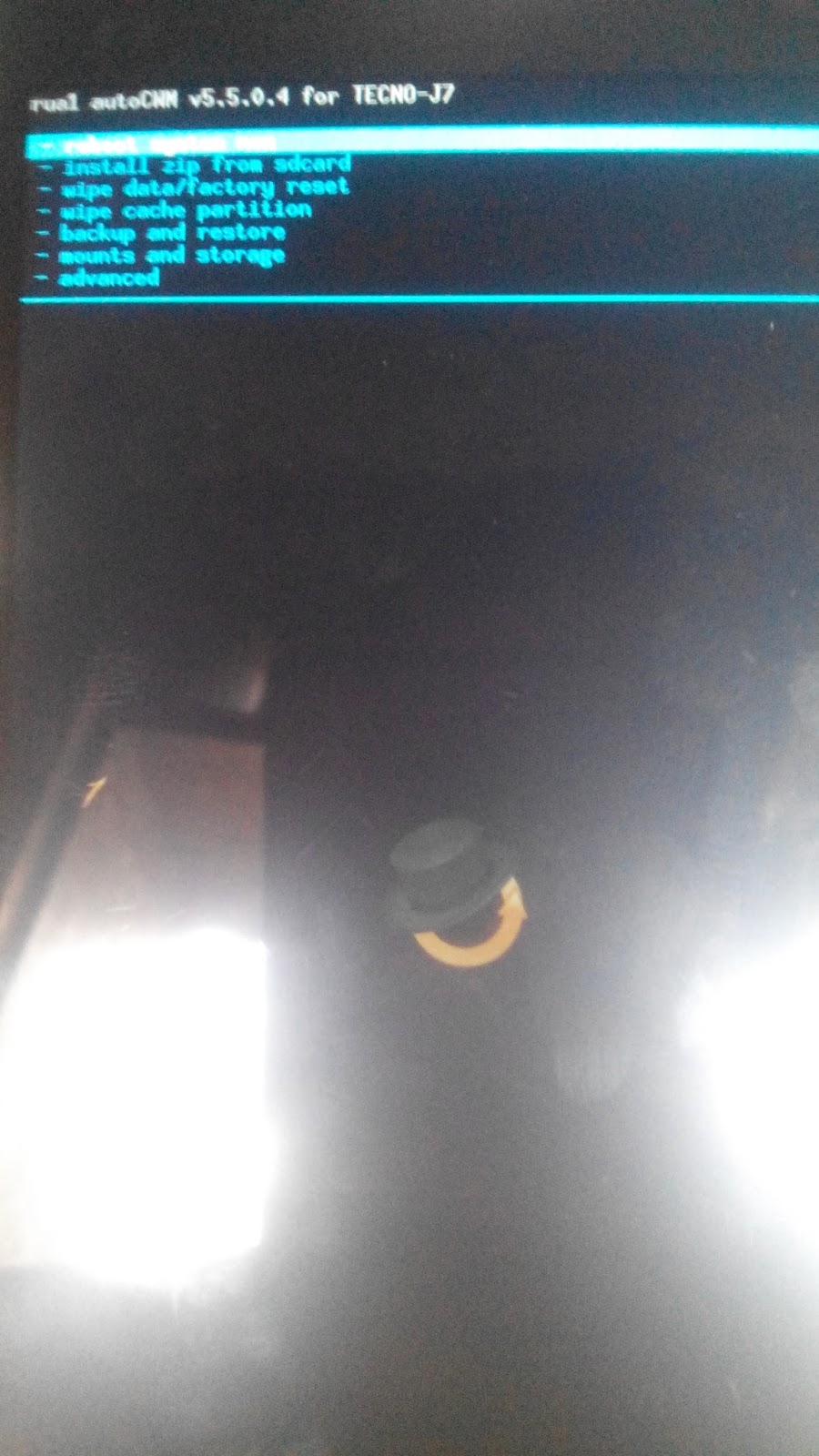
It's quite disheartening when I see people complaining of the woes having their phone devices bricked without them having a proper stock rom backup via cwm  recovery or having a clockwork mode recovery backup which could have helped them restore their phones back to the last backup before the phone bricks occurrence.

The main item or ingredient neccessary in having a cwm  backup is to get the particular recovery.img  for the phone type..

Instead of trying to Google for the compatible recovery image posted by someone else for your phone type,  why not just created the cwm recovery by yourself in a couple of minutes {we all know that flashing the wrong recovery.img of someone else on your phone might have adverse effects on the phone itself...

ONCE AGAIN... it is very important to have your android given permision for root shell which is quite different from the phone being rooted..

To do this in a simple way... Just install BusyBox app on your phone.... Grant it root permission once the app is opened and click on the INSTALL prompt by the left... wait for a while while busybox keeps working on your root shell until you get the INSTALLATION SUCCESSFUL prompt...

Close the app and go to the pc for the final steps.


HERE IS AN EASY GUIDE ON DOING THAT....

**{tools needed}

#**MTK DROID TOOLS version 2.5.3 {preferably}..

#** An adb  driver or pda  driver for your phone..(has to be installed and run so as to make the android and pc communicate with one another)

#** root your phone with kingroot{optional cos it can also be rooted using mtkdroid tools}

#**Install busybox  on the phone so as to have root shell access.

STEPS.....

**Connect the USB cord from the phone to the PC..

**Ensure USB DEBUGGING MODE

**Launch MTKDROID TOOLS..

**It should detect your phone brand,  model,  chipset,  software version etc..

**you will see your phone model with a GREEN LOGO if you have root shell already but it will show a YELLOW COLOR LOGO if you don't have one..


**click on the "root, backup, recovery"


**choose second option of to Use boot from phone and click on Recovery and boot..

**click on to make cwm automatically..

**Install created recovery to phone...
** click on to boot phone in recovery

And you should find yourself in recovery mode so as to do your cwm backup.

Note that there is nothing like a touchscreen contact menu in the cwm recovery mode, meaning you will have to start controlling everything manually by using the volume up and down key as cursor and using the power button as OK/yes button..
That's it you can do your cwm backup from the recovery mode..

And your recovery image can be found at the recovery folder on your mtkdroid tools folder on your desktop.

You can find the clockworkmode recovery folder in a space allocated on the SD card..

Whereby the clockworkmode backup also contains the recovery image and the boot image.

thats basically the summary....  best of luck guys...

Naijawarlord Cares

Thursday, May 19, 2016


I downloaded a RAR file on the internet one other day and i found out rhat the RAR file was encrypted, i checked the page where i downloaded it there was no password even in the comment section other people has asked. So i decided to find out on my own on “How to extract Password Protected RAR file without password” and thank God I come today with a successful story on How to extract Password Protected RAR file without password.

NOTE: Well it worked for me but may not work for you or eve
n if the number of letters on the password is much it may take lot of time.


Tuesday, January 12, 2016

It's always a good feeling when you download something and it works, but it's not satisfactory when you waste a lot of time downloading a file, maybe small or large in size and it doesn't work to me that's the greatest evil on this earth! Wasted Time, Energy, Your Internet Data... all wasted! If you download a lot off the internet, then you should be familiar with archived files such as .zip, .rar, winrar, 7zip etc. They are used to compress files making the file size smaller and this has a lot of advantage to it - Quicker download time because the file size is smaller, file protection from virus or antivirus, ability to input password to safeguard your archived contents. These are just a few that just popped into my head right now. So, Yeah using archived files, downloading archives files off the internet is all good.
[IMG]

There are software that turns an ordinary file like a folder, picture, program and all others into an archived file and those softwares are called compression/archive softwares such as Winrar, Winzip, 7-zip and so on. There are so many of them. But i recommend Winrar. They are good. Sometimes on the internet, it seems like you can't run away from downloading an archived file with the file extension of .rar or .zip. In my perspective, i would encourage you to download archived files because of what i mentioned at the beginning of this article.


Sunday, October 11, 2015

No time to waste again...

If you are were one of the lucky few that benefited from the last bonanza of calls from MTN and how fulfilling it was getting in touch  with your contacts and love ones again...


Sunday, September 27, 2015

This is quite  a bit long but its worth it.

 Of course its no news that most complains android smartphone users give is about their battery running low or getting bad within the shortest period of time. Every now and then your android smartphone is always plugged to a switch charging. Surprisingly most recent android phones and tablets come with god battery capacity but this does not reflect on the users experience, this is neither the phones fault nor the manufacturers' but that of the user(you). 

That being said, I'll briefly point out what and what drains your android phone battery faster, what damages your android battery and how to extend your battery's duration and life span. 


What Actually Drains My Android's Battery?


Monday, August 31, 2015

This is nothing illegal and also its not for all Sims  cos not everyone is eligible for it no matter the tariff plan that you are...

But try the code out and see if you are lucky and eligible like I was... Yippee *winks*


 Dial *142# and wait for a confirmation messages as shown in the pics below.


Once again...

Note that it's not all Sims that are eligible and also don't be deceived by anyone telling you to migrate to a particular tariff plan before you can be eligible for it..

Best of luck and give it a try  *winks*

Tuesday, July 21, 2015

There are many options for downloading YouTube videos nowadays and some of them involve using a third party app like Tuber ate, YouTube Downloader etc..

And of course some third party websites also act as filter to convert the videos to any format you want before downloading. One of them is by editing the video url with '' ss'' replacing the www aspect of  the url thereby using save net download for videos.


Wednesday, June 24, 2015


If you are reading this post then am pretty sure that at one time or the other you have come across IMEI tweaking on this blog and you might have wondered what do they mean and how do i go about changing my android phone IMEI from one phone or device model to another brand entirely..

Well, there aint no reason to worry no more because i will be breaking down the two most popular way of changing your android phone IMEI most particularly those that are made of Mediatek chipset also known as MTK devices.

In your journey through that search you have probably come to hear about the App called MobileUncle tools as the most popular way of editing your device IMEI...and if you think using mobileuncle is the easiest way to tweak your android imei then am sorry to say that you are absolutely WRONG in capital letters infact..lol

INTRODUCING the app called CHAMELEPHONE one touch android IMEI changer in less than 10seconds..

PROS...

*No need looking for CDS INFORMATION or RADIO INFORMATION option on your devices because i noticed that some devices make up just dont have it even if you go ahead to download the mtk engineering mode app from playstore, you still wont just find it... A typical example is the Lenovo A700H or those that flashed the POPKAT custom rom at one point or another..

*No need of battling with the AT+EMGR command prompt when using the Mobileuncle tools app  whereby some commands fail to send (while it easily works on jellybean and lower version the command might fail to send on Kitkat OS version until you insert a space in the command line as explained in the former imei tweaking tutorial steps before..

*It is quite easy and straightforward..

*The Chamelephone app is very small infact less than 400kb in size meaning it doesnt take up your phone storage space unlike the MobileUncle tools app.

*It has a nice touch interface with onscreen guide for you to follow incase you forget any steps while using it.


CONS...

*It only has one CON and that is the fact that your phone has to be rooted meaning it needs to be granted root permission to edit your system built.... (Well i wouldn't call it a big issue cos you can easily have your phone rooted in minutes by simply following the guide laid out here: ROOT YOUR PHONE WITHIN MINUTES WITH KINGROOT(english version)


*COMPARED TO USING MOBILEUNCLE TOOLS: below is the old popular way of changing your device/phone IMEI

HOW TO TWEAK/EDIT YOUR ANDROID PHONE IMEI USING MOBILEUNCLE TOOLS


The Only CON the MobileUncle tools app have over the Chamelephone app is that the MobileUncle tools app can be used on ''Non-rooted phones'' unlike the Chamelephone whereby root access permission is required


STEPS IN TWEAKING/CHANGING IMEI USING CHAMELEPHONE...

*Download the CHAMELEPHONE app from here:  CHAMELEPHONE IMEI TWEAKING APP

*Launch the Chamelephone App

*You will noticed two different IMEI option displaying your current imei number with name tag IMEI 1 and IMEI 2 (depends on those using dual sim phone) because those on single sim phones will have IMEI 1 displayed and the IMEI 2 will show as NULL so nothing to worry about.


*Input the new IMEI number you want to use in the sim slot or port you want it assigned to (note: it has to be a valid 15 digits imei number before you can see the green mark sign or else  you will be seeing the red crossed out sign)


* A prompt message will pop-up after inserting the new IMEI..read thus ''Do you want to Apply changes to your IMEI" confirm with Yes..

*You will get a message prompt to either reboot or restart your android phone for chnages to take effects...(but you can just easily put your phone on AEROPLANE MODE for like 12seconds to avoid rebooting your phone and yet getting the same outcome)

*Once your network signal is turned ON dial the code *#06# to confirm the new IMEI changes has taken effect..

And thats basically it in Simple steps....


This is another classic tutorial from the Naijawarlord team to make your android experience more pleasurable..

Why not subscribe to the blog post to be among the first set of people to get the latest post updates from us and you can as well follow us on any of the social media platforms available..

Facebook Page: www.facebook.com/naijawarlord

BBM Channel: C0015C6F7


Courtesy: Naijawarlord..

Thursday, June 11, 2015

We all have that secret files that we just want it to remain secret for personal reasons {at least we all deserve a little privacy}.  But we can't keep hugging and keeping the phone to ourselves like it's a new born baby or something...  Meaning we all have to at one time or the other let go of the phone and share it with friends and family..

Don't have to remind you that when people get a hold of our phones the first place they poke their big noses to are the Gallery,  videos,  music's,  instant messenger apps{ BBM, WHATSAPP etc}  and of course reading conversations that are meant to be private and confidential...and i still cant fathom why people do this... its quite rude dont you think so too..

For this reasons some security and lock apps are available online to use... From Phone lock to Applock.... Vault,  keepsafe etc...

But among all these apps the one that i take quite a fancy to is the audio manager apps because of the coded was and the unassuming appearance that the app has more anonymity among other apps installed on the android phone.


Friday, May 8, 2015

I know not most of us makes the maximum use of our smartphone which is quite heartbreaking considering the possibilities that can be achieved..

One good app people hardly make a use of and wish they have in most cases at needed times is the Automatic call recorder apps that can basically make a recording of any conversation you are involved in at that moment with no involvement needed from you than to just pick up your calls..


Wednesday, May 6, 2015

This Is the second part of the short tutorials on how to connect or create different Internet connection using the foxfi  app.. Just like we have already talked about the wifi  Hotspot connection using foxfi.. This second  will be a guide to some having  issues with Wifi connectivity and in one way or another are unable to get coonected using their wifi options...

I will just recommend instead of waiting for the Wifi services to kick in or looking for a Modem why not just connect your usb cable from the phone device to your PC and be connected easily

STEPS INVOLVED....


Naijawarlord© 2016. Powered by Blogger.

Wikipedia

Search results

Followers

Page Views

Translate

Pages

Popular Posts

Blog Archive